Running Tests
Requirements
Before running the tests, OpenAFS must be installed on one or more systems and the test cell be created. Tests are executed on a system with running OpenAFS cache manager for the test cell.
See the Quick Start Guide for information on how to use Ansible to create a test cell on one or more virtual machines.
General test cell requirements:
Kerberos KDC installed and running
OpenAFS databases and fileservers installed and running
OpenAFS top level volumes created, mounted, and access rights configured
Admin user created with system:administrators membership and Superuser rights
Admin user keytab file created
Test system requirements:
OpenAFS cache manager installed and running
OpenAFS client commands (
bos,vos,pts,fs, etc)
Test software requirements:
Python
Python libyaml package (recommended)
Robot Framework
OpenAFSLibrary for Robot Framework
The OpenAFS RoboTest test files (
*.robotfiles)The admin user keytab
A variable file with values setup for the cell under test. See Variables.
Executing tests
robot
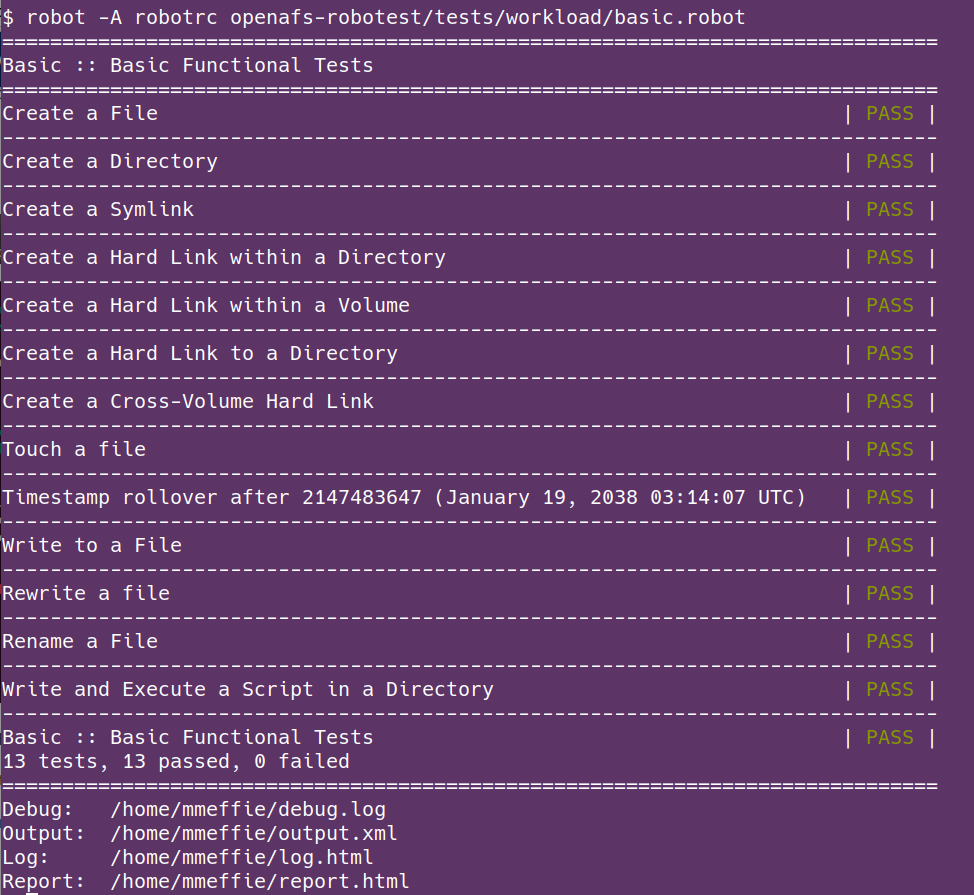
The test cases are executed with the Robot Framework robot command line
program. The complete set of tests may be executed or some subset may be
excuted with the robot command.
See the Robot Framework User Guide for information about executing test cases.
Example:
Test results
Test execution is displayed in the command line as tests are executed. The
robot command exit code is 0 when all tests pass.
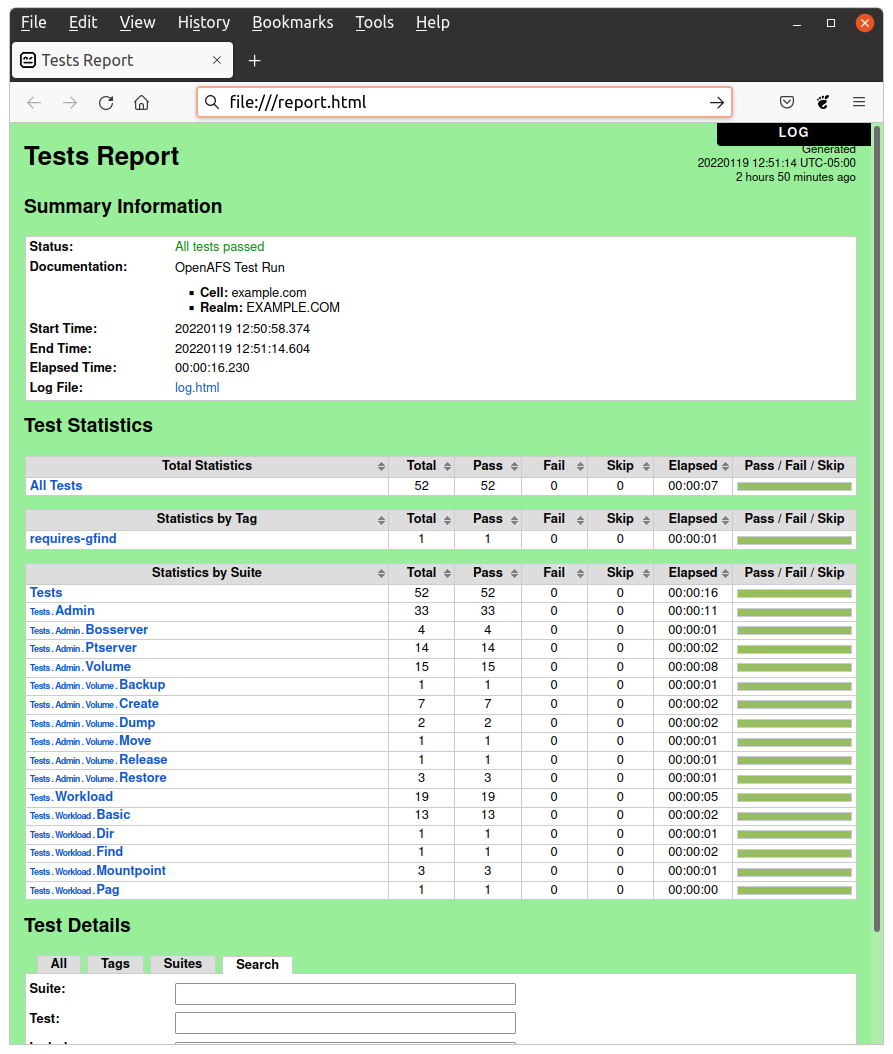
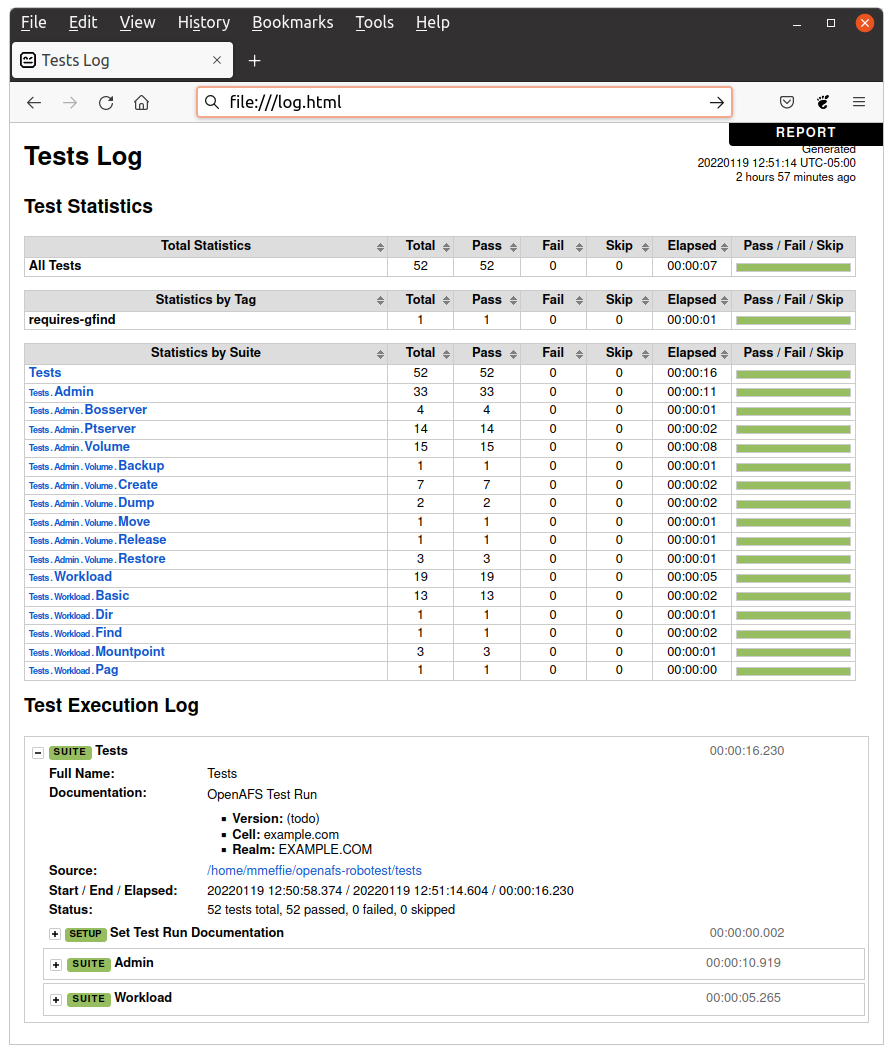
The robot command generates an XML and HTML output report of the executed
tests which gives detailed information on which tests pass and which tests
fail.
See the Robot Framework User Guide for details on test outputs.